
ports-cli: Find and Kill the Process on a TCP Port
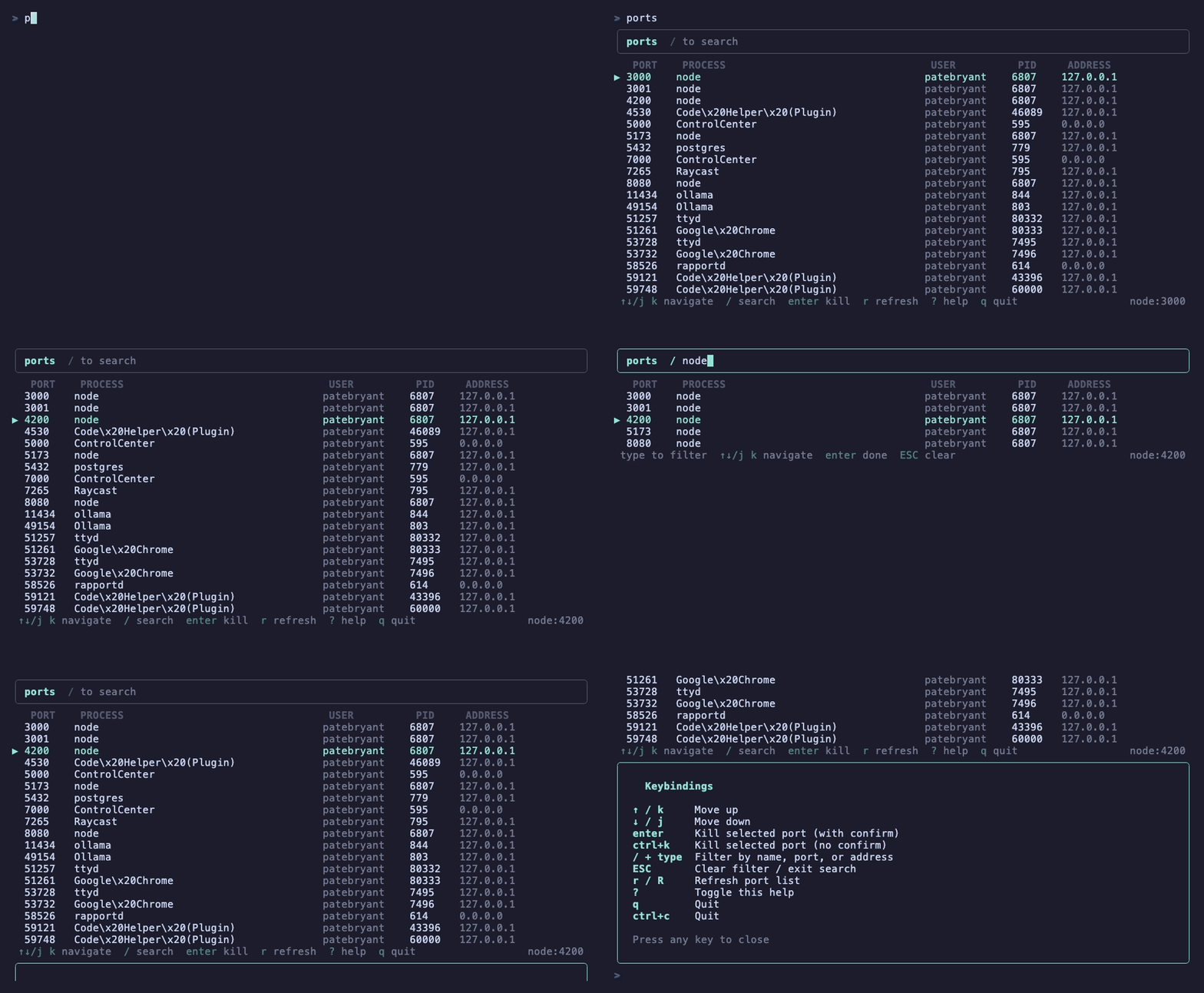
I just published my latest npm package, ports-cli — an interactive terminal user interface for viewing and killing listening TCP ports. It's the tool I always wanted when juggling multiple dev servers and couldn't remember which process was hogging port 3000. Check it out on npm.
Why I Built It
Every developer has been there. You try to start a dev server and get hit with EADDRINUSE. Then you're scrambling through lsof output trying to figure out which process to kill. I got tired of that workflow and decided to build something better. If you need the commands to do it by hand on macOS, Linux, or Windows, I wrote them up in how to kill the process on a port, or you can generate the one-liner for your port with the kill port tool.
How It Works
ports-cli wraps lsof -nP -iTCP -sTCP:LISTEN +c 0 in a full-screen, React-powered terminal UI built with Ink. The -nP flags skip DNS lookups for speed, and +c 0 removes the default command name truncation so you see full process names. It discovers all processes listening on TCP ports, deduplicates IPv6/IPv4 equivalents, and presents them in a clean, navigable list that auto-refreshes every 2 seconds.
Key Features
- Real-time monitoring — the port list refreshes every 2 seconds automatically
- Interactive search — press
/to filter by port number, address, or process name - Kill processes — press Enter to kill with confirmation,
ctrl+kto skip confirmation - Vim-style navigation —
j/kand arrow keys to move up and down - IPv6 normalization — deduplicates
[::1]and127.0.0.1,[::]and0.0.0.0 - Help overlay — press
?for a keybinding reference
Quick Start
No installation needed:
npx ports-cli
Or install globally:
npm install -g ports-cli
ports
The Stack
The project is built with:
- TypeScript for type safety
- React 18 + Ink 4 for the terminal UI
- esbuild for bundling
- Vitest for testing (189 tests, 100% coverage)
The entire codebase is clean and modular — components for the port list, search bar, status bar, and help overlay, with hooks for keyboard input and utilities for port discovery and process termination.
What's Next
I'm planning to add more features over time. If you run into issues or have feature requests, check out the GitHub repo or find it on npm.