
Minesweeper Solver: Watch an AI Clear the Board
This is a Minesweeper game with a built-in solver that you can play or watch in your browser. Play a round yourself, or press Start AI and the minesweeper solver works the board one move at a time while you follow along. I built it with three AI prompts, which are reproduced in full below.
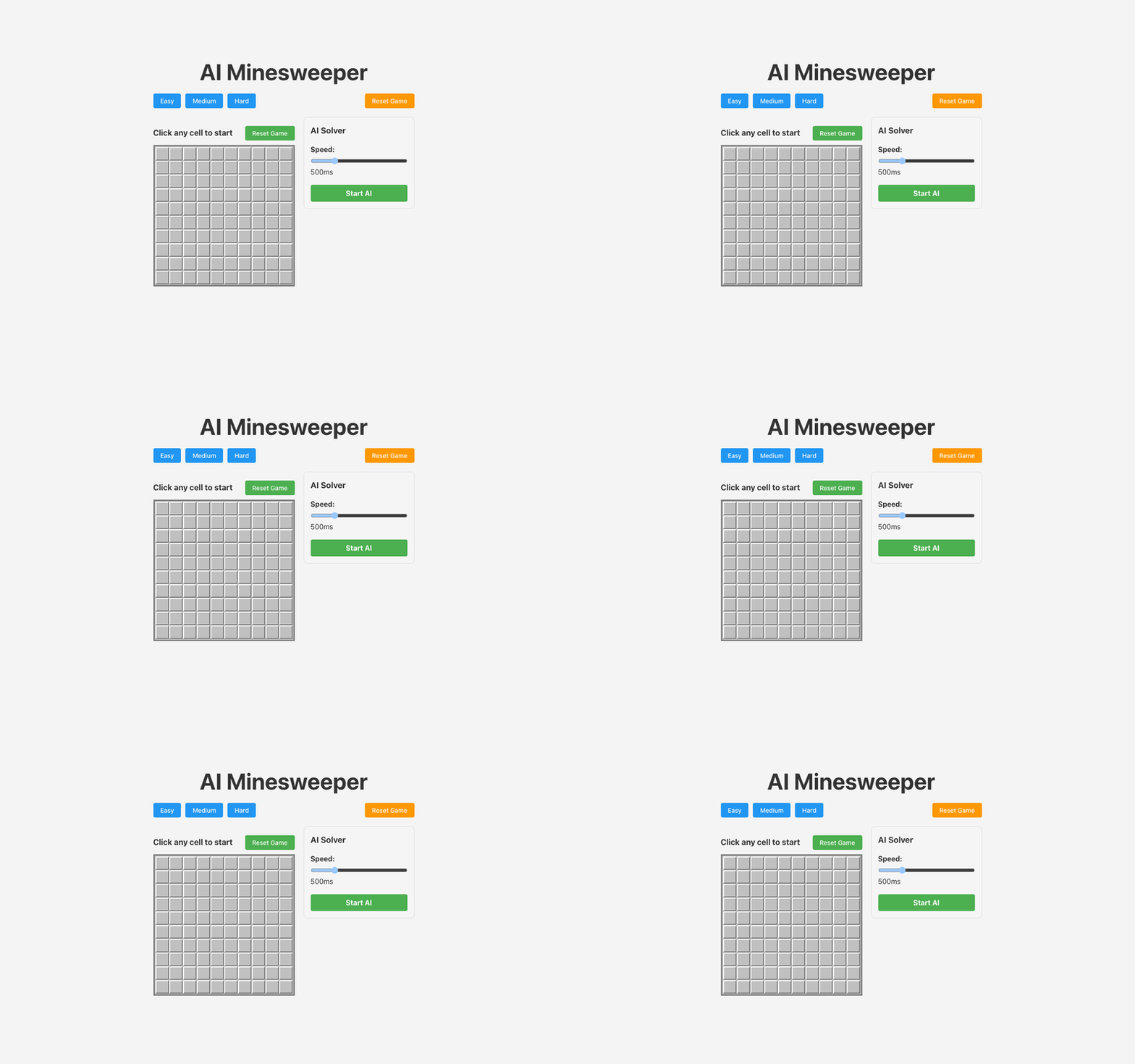
The board starts at 10×10 with 15 mines, and the Easy (9×9, 10 mines), Medium (16×16, 40 mines) and Hard (30×16, 99 mines) presets match the classic Windows sizes.
How the Minesweeper solver works
Each step, the solver makes exactly one move: it reveals a cell, flags a cell, or guesses. It scans revealed numbers from the top-left, applies Rule 1 and then Rule 2 to each, and takes the first move it finds. It guesses only if no cell yields a move.
Opening move
On a fresh board the solver clicks the center cell. Mines are placed only after that first click and never on the clicked cell, so the opening move cannot lose. Its neighbors can still hold mines, so the opening may reveal a single number rather than an open area.
Rule 1: a satisfied number clears its neighbors
The solver scans revealed number cells from the top-left corner. If the flags around a cell already equal its number, every other covered neighbor must be safe, and it reveals one of them.
Rule 2: a number with no slack flags its neighbors
If a cell's number equals its count of covered neighbors, flagged or not, every one of those neighbors must be a mine. The solver flags one that is not flagged yet.
What it does not do
Those two rules are the only deductions. The solver looks at one numbered cell at a time, so it does not combine constraints from neighboring numbers (patterns such as 1-2-1) and does not compute mine probabilities. That is where a person can beat it. With the subset rule or a pattern like 1-2-1, both covered below, you can often clear a position where the solver would guess, and when a guess is truly forced you can pick the safer cell instead of a random one. It also trusts every flag on the board, including ones you placed, so a wrong flag left from your own play can lead it onto a mine.
Guessing when stuck
When neither rule finds a move, the solver guesses. It picks a random covered, unflagged cell from the interior of the board. If no interior cells are left it picks from the edges, and only after that from the corners. That ordering is the code's heuristic, not a probability calculation: the solver never estimates which cell is least likely to hold a mine, so a guess can end the game.
When it stops
The solver stops when the game is won or lost, or when no covered, unflagged cells remain. The speed slider sets the delay between moves, from 50 ms to 2,000 ms (500 ms by default). Set it before pressing Start AI, because it is locked while the solver runs.
How to solve Minesweeper yourself
A minesweeper bot like this one knows two rules and a random guess. You can do better by hand, because the patterns below read several numbers at once.
Open in the middle or a corner
Your first click is always safe in this game. You want it to land on a 0, which opens an area with a border of numbers to work from. A corner cell has only three neighbors, so it is the most likely to be a 0, but the area it opens tends to be small. A middle cell has eight neighbors and opens less often, but when it does, the border faces outward on every side. I click the middle, as the solver does.
The two basic rules
Every deduction starts from the same two facts the solver uses. If the flags around a number already equal it, every other covered neighbor is safe. That is the solver's Rule 1. If the covered cells around a number, flagged or not, equal it, every one of them is a mine. That is Rule 2. Much of an easy board falls to these two alone.
Before using any pattern, subtract the flags already touching a number. A 3 with one flag beside it is a 2 for the cells still covered.
Patterns along a wall
These patterns apply to a straight row of numbers with covered cells on one side and nothing unknown on the other: the board edge, or ground you have already opened. In each grid, the bottom row is the numbers, already reduced by adjacent flags, and the top row is the covered cells they touch. * is a mine, S is safe, # is still unknown, and | is the board edge. Blank cells in the number row, beside the numbers, are already opened.
1-1 at an edge. A 1 against the board edge touches only two covered cells, and one of them is the mine. The 1 beside it touches those two plus one more. Its mine is already among the first two, so the third cell is safe.
| #  #  S
| 1  1
1-2. A 2 needs two mines among its three covered cells. The 1 beside it shares two of those cells and allows at most one mine in them, so the 2's third cell, on the side away from the 1, is a mine. That puts the 1's only mine inside the shared pair, so the cell on the 1's far side is safe.
 S  #  #  *
    1  2
1-2-1. Read it as a 1-2 and a 2-1 at once. Each 1 forces a mine onto the far side of the 2, which is the cell above the other 1. The 2 then has both its mines, and every other cell is safe.
 S  *  S  *  S
    1  2  1
1-2-2-1. The same reasoning, one cell wider. The left 1-2 puts a mine above the second 2, and the right 2-1 puts one above the first 2. Both 2s are then satisfied, and everything else in the row is safe.
 S  S  *  *  S  S
    1  2  2  1
The subset rule
Take two numbers, A and B, reduced by their flags. If every unflagged covered neighbor of A is also a neighbor of B, then the unflagged covered cells only B touches hold exactly B minus A mines. If that difference is 0, those cells are all safe. If it equals the number of those cells, they are all mines. The 1-1 above is this rule: the edge 1's two cells sit inside the next 1's three, 1 minus 1 is 0, and the extra cell is safe. It works in any direction, wherever one number's covered cells sit inside another's.
When you have to guess
Some positions cannot be solved by logic, such as two covered cells sharing one mine with no other number to tell them apart. When a guess is forced and no cell you can still open touches the cells in question, take it right away. Waiting will not change the odds. If other covered ground borders them, clear the rest of the board first, because a new number or the final mine count may settle it.
When you have a choice, pick the cell least likely to hold a mine. A cell far from any number has about the board's average odds, mines left divided by covered cells. Hard starts at 99 mines in 480 cells, about one in five. A cell next to a 1 that touches seven covered cells is roughly one in seven. One of the two cells under a 1 that touches only two is about a coin flip. The solver skips all of this and picks a random interior cell.
Count mines at the end
The mine counter shows the total mines minus your flags. If it reads 2 and the border has two separate pairs that each must hold one mine, every other covered cell is safe, even cells no number touches. That only holds if your flags are right.
The Three Prompts
Here are the exact prompts I used to build this project:
Prompt 1
@projects/ai-mine-sweeper

I want you to build a super simple implementation of minesweeper thay works like the real game. Keep this part sipmle.


Then I want you to build an AI system to auto solve the same. Make sure there is a slider to control how fast the AI will make moves
Prompt 2
Continue with implementing.

This is the current context in the browser console


Minesweeper.jsx:24 Uncaught TypeError: Cannot read properties of undefined (reading '0')
    at Minesweeper.jsx:24:24
    at react-stack-bottom-frame (react-dom_client.js?v=c732e2ba:17476:20)
    at runWithFiberInDEV (react-dom_client.js?v=c732e2ba:1483:72)
    at commitHookEffectListMount (react-dom_client.js?v=c732e2ba:8458:122)
    at commitHookPassiveMountEffects (react-dom_client.js?v=c732e2ba:8516:60)
    at commitPassiveMountOnFiber (react-dom_client.js?v=c732e2ba:9885:29)
    at recursivelyTraversePassiveMountEffects (react-dom_client.js?v=c732e2ba:9866:13)
    at commitPassiveMountOnFiber (react-dom_client.js?v=c732e2ba:9982:13)
    at recursivelyTraversePassiveMountEffects (react-dom_client.js?v=c732e2ba:9866:13)
    at commitPassiveMountOnFiber (react-dom_client.js?v=c732e2ba:9982:13)Understand this error
react-dom_client.js?v=c732e2ba:6227 An error occurred in the <Minesweeper> component.

Consider adding an error boundary to your tree to customize error handling behavior.
Visit https://react.dev/link/error-boundaries to learn more about error boundaries.

defaultOnUncaughtError @ react-dom_client.js?v=c732e2ba:6227Understand this warning
Minesweeper.jsx:24 Uncaught TypeError: Cannot read properties of undefined (reading '0')
    at Minesweeper.jsx:24:24
    at react-stack-bottom-frame (react-dom_client.js?v=c732e2ba:17476:20)
    at runWithFiberInDEV (react-dom_client.js?v=c732e2ba:1483:72)
    at commitHookEffectListMount (react-dom_client.js?v=c732e2ba:8458:122)
    at commitHookPassiveMountEffects (react-dom_client.js?v=c732e2ba:8516:60)
    at reconnectPassiveEffects (react-dom_client.js?v=c732e2ba:10014:13)
    at recursivelyTraverseReconnectPassiveEffects (react-dom_client.js?v=c732e2ba:9993:11)
    at reconnectPassiveEffects (react-dom_client.js?v=c732e2ba:10052:13)
    at recursivelyTraverseReconnectPassiveEffects (react-dom_client.js?v=c732e2ba:9993:11)
    at reconnectPassiveEffects (react-dom_client.js?v=c732e2ba:10052:13)Understand this error
react-dom_client.js?v=c732e2ba:6227 An error occurred in the <Minesweeper> component.

Consider adding an error boundary to your tree to customize error handling behavior.
Visit https://react.dev/link/error-boundaries to learn more about error boundaries.
Prompt 3
Keep the UI the same and the AI working. The AI is not going all the way through the game. It only makes a few moves and then stops.


Make sure the game does not restart when the AI is playing. Only when manually reset. Make sure the stste changes are not going to restart the game.

Something with the AI is causing the game to regenerate after each AI move so the game just keeps restarting in a loop
Building a Classic with Modern Tools
The AI Minesweeper project is built using React 19 and Vite, providing a fast, responsive gaming experience. The application is structured around three main components:
-
MinesweeperGame: The central component that manages the game state, board initialization, and coordinates interactions between the UI and the AI solver.
-
Minesweeper: Handles the visual representation of the game board, rendering cells, flags, and mine indicators.
-
MinesweeperAI: Contains the logic for the AI solver, including algorithms for identifying safe moves and making educated guesses when necessary.
Game Mechanics
The implementation follows the classic Minesweeper rules:
- The first click is always safe, with mines placed after the initial move
- Left-clicking reveals a cell; if it contains a mine, the game is lost
- Right-clicking toggles a flag on an unrevealed cell
- Numbers indicate how many mines are adjacent to a revealed cell
- Revealing a cell with zero adjacent mines automatically reveals its neighbors
- The game is won when all non-mine cells are revealed
Overcoming Technical Challenges
During development, several technical challenges had to be addressed:
State Management
One of the most significant challenges was managing the game state properly to prevent unnecessary resets during AI play. This was solved by:
- Using React refs to hold the current board and game state, preventing unnecessary re-renders
- Implementing deep cloning for board updates to ensure immutability
- Carefully controlling when the board is reinitialized to avoid disrupting ongoing games
Circular Dependencies
The AI solver initially suffered from circular dependencies between its core functions:
// Problem: Functions referencing each other before definition
const runAIStep = () => {
  // Uses stopAI before it's defined
  if (gameState === 'lost') stopAI();
  // ...
};

const stopAI = () => {
  // Uses runAIStep's timer reference
  clearTimeout(aiTimerRef.current);
};
This was resolved by:
- Reordering function definitions
- Using React's useRef to store function references
- Implementing useCallback to ensure stable function references
- Adding useEffect hooks to update refs when dependencies change
AI Reliability
Initially, the AI would sometimes stop prematurely or cause the game to restart in a loop. These issues were fixed by:
- Adding explicit checks for unrevealed cells before stopping
- Implementing retry logic with delays when no moves are found
- Using refs to avoid stale closures in asynchronous operations
- Carefully managing the game state to prevent unwanted resets
Conclusion
Through just three prompts, I was able to create both a playable Minesweeper game and a solver that plays it on its own, using React hooks, timed asynchronous steps and two local deduction rules backed by a guess.